Customizable All-In-One Temperature and Bridging Tower
- 10 views
This model is hosted on Cults3D. Files, images and license details belong to the original creator.
View on Cults3D ↗Description
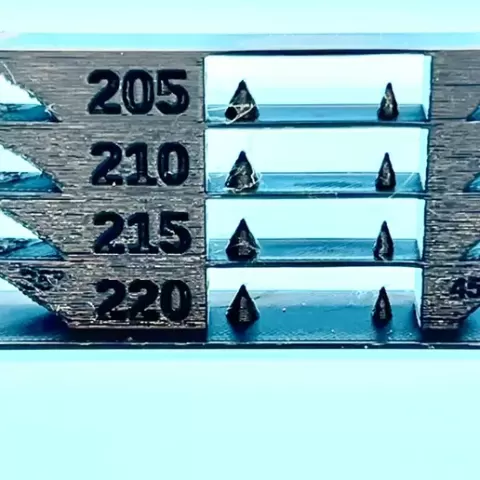
Create your own temp tower with OpenSCAD. NO programming skills required! Update 6-1-2024: Changed custom Gcode to address floating point calculation issue (inline pics in instructions don't match the new gcode). Kudos to @StefanPohl_1942191 My “Improved All-In-One Temperature and Bridging Tower” is very popular but sometimes you don't need to check the whole temperature spectrum, or maybe you want to check in steps different than the default 10 degrees C of most temp towers. So… here's a fully customizable version, for use with OpenSCAD! Uh… OpenSCAD? What's that?! Do I need to learn how to write code? No, you don't! It's actually very simple, and you don't need to “speak SCAD” to build your very own temp tower. Here's a step-by-step guide: The preliminaries If you don't have OpenSCAD, download it from https://openscad.org/ and install it following the standard installation procedure for your computer platform. Download the .scad and .3mf files from the Files section and save them somewhere on your computer. Let's create the temp tower model Launch OpenSCAD. Use File>Open File to load the downloaded “Customizable Temp Tower.scad” script. You should see the Customizer on the right. If not, go to the Window menu and uncheck Hide Customizer. Also, make sure Hide Console is unchecked. Select the appropriate options (see below). If needed, press F5 or go to “Design>Preview” after you've made changes, to update the image of the model. When you're happy with the results, press F6…
About this model
Customizable All-In-One Temperature and Bridging Tower is a free 3D model in the Other category, shared by the Cults3D community. You can download it for 3D printing and reuse it in your own projects under the terms of its original license.
File formats
- STL — The most common mesh format for 3D printing — ready to slice and print on almost any printer.
The files for this model are hosted on Cults3D. Use the button above to open the original page and download it.