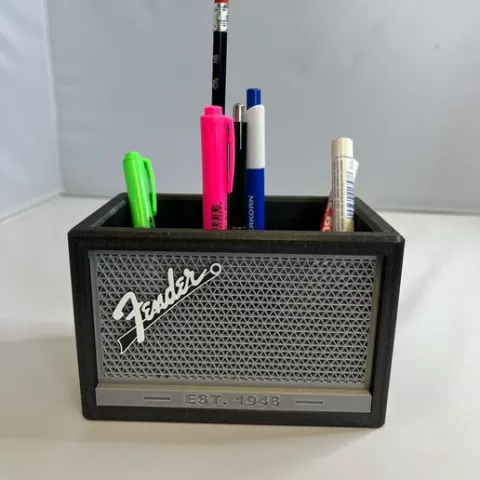
Pencil holder, box - Fender combo
- 10 views
This model is hosted on Cults3D. Files, images and license details belong to the original creator.
View on Cults3D ↗Description
Pencil holder, box - Fender combo Assembly instructions (see in photo) 1. Print the necessary parts. (You can use any colors you want.) 2. Cut the filament with a length of approx. 10 mm. (Filament diameter 1.75mm) 3.Glue the filament into the holes in part ,,pencilholdercombo,, with super glue (the filament serves as a connecting pin) 4.Now insert the silver grid into the front frame. 5.Use second glue to connect the frame to the ,,pencilholdercombo,, part. 6.Apply instant glue to the logo (Marshall, Fender) and stick to the front silver grid - (from the outside of the box) That's it all - enjoy your new pencil box There are three sectors inside the box. You can print an insert into the sector. (,,insertboxpencil,,)
About this model
Pencil holder, box - Fender combo is a free 3D model in the Gadgets category, shared by the Cults3D community. You can download it for 3D printing and reuse it in your own projects under the terms of its original license.
File formats
- STL — The most common mesh format for 3D printing — ready to slice and print on almost any printer.
The files for this model are hosted on Cults3D. Use the button above to open the original page and download it.
Similar models
 Free
Free
Cooler Can Holder (std 12oz can)
 Free
Free
Bottlecap Shoot for Different Beer Bottles
 Free
Free
Ikea 365+ Plastic Lid Hanger / Organizer
 Free
Free
Toothpick dispenser - fully printed (v2)
 Free
Free
USB cable organizer Box tray IPhone Samsung
 Free
Free
No-Slip Bed Sheet Lock
 Free
Free
Big screwdriver holder, honeycomb pattern / Velký držák na šroubováky
 Free
Free