SR71 Clip
- 11 views
This model is hosted on Cults3D. Files, images and license details belong to the original creator.
View on Cults3D ↗Description
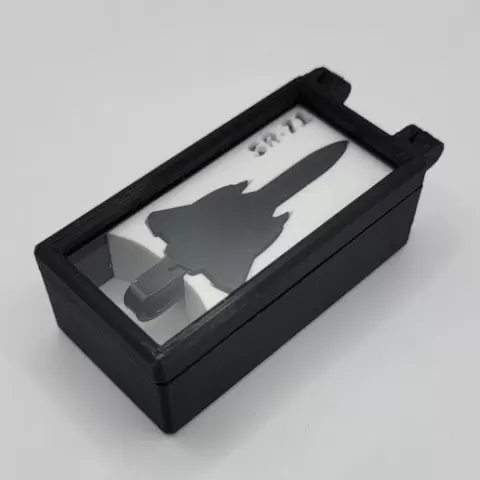
Want to clip multiple things together and want to do so with a unique flair? Then the SR71 clip is for you! Add a unique flair to your apparel and use the clip as a TieBar. Add this to your lanyard to show your appreciation of a unique plane. Want to use it as a paperclip for some important documents, you can do that too. The limits are endless. The SR71 clip prints unbent to remove the need for support material and to increase the overall strength of the part. As a result some post print modification is necessary. After printing the clip and the bend jig you will need to briefly warm the the tip to create the two bends. Using a heat source (Heat gun, hair dryer, small flame) briefly heat the tip of the clip portion, once slightly malleable insert the tip into the left side of the bendjig and allow to cool. Now briefly heat the area where the main bend will be (about one inch from the previously bent tip) and insert into the right side of the jig and again allow to cool. Now slide the completely bent clip off the side of the jig and enjoy! To print the case with the clear acyrlic I recommend first printing the "TieBarCaseSingle-TopInsert". Use this as a template to cut a piece of 1/8in(3mm) clear acrylic. Make sure it is not oversized, slightly undersized is much better. When printing the "TieBarCaseSingle-Top" use a layer pause right before the bridging begins to insert the acrylic then finish the print.
About this model
SR71 Clip is a free 3D model in the Other category, shared by the Cults3D community. You can download it for 3D printing and reuse it in your own projects under the terms of its original license.
File formats
- STL — The most common mesh format for 3D printing — ready to slice and print on almost any printer.
The files for this model are hosted on Cults3D. Use the button above to open the original page and download it.