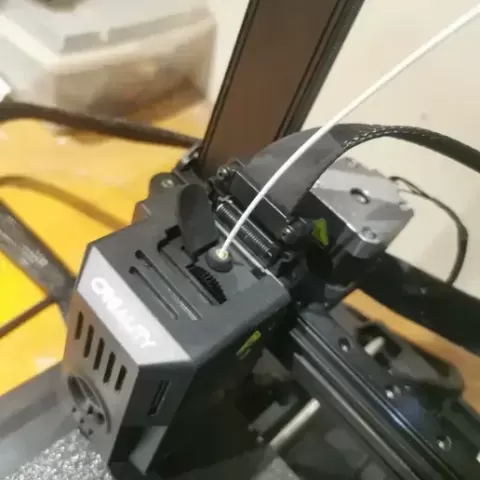
Ender 3 V3 KE Filament Sensor Relocation Bracket
- 11 views
This model is hosted on Cults3D. Files, images and license details belong to the original creator.
View on Cults3D ↗Description
For installation, you have to remove the filament sensor cable from the aluminum extrusion. Pop off the top brace by removing the six screws on top, then remove the cable from the top brace. I removed the gantry from the base to pull out the cable from the extrusion. However I'm not sure if you can pull out the cable without removing the gantry from the brace. No embossed name to print on the other side flat
About this model
Ender 3 V3 KE Filament Sensor Relocation Bracket is a free 3D model in the Animals & Creatures category, shared by the Cults3D community. You can download it for 3D printing and reuse it in your own projects under the terms of its original license.
File formats
- STL — The most common mesh format for 3D printing — ready to slice and print on almost any printer.
The files for this model are hosted on Cults3D. Use the button above to open the original page and download it.